
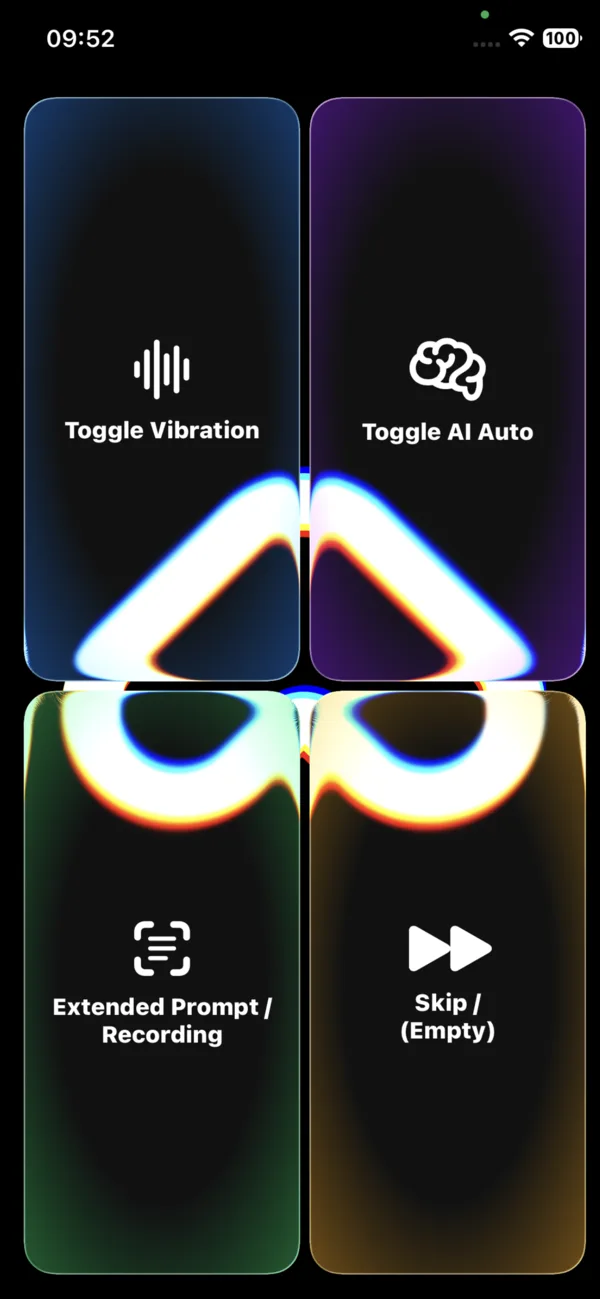
Four buttons, zero complexity
The screen is always the same, so you quickly remember where everything is. Each corner is one feature. Scroll on and we'll highlight them one by one.
Ariadne Sense is one simple screen with four large buttons. Scroll down to learn each one: what it does on a tap, on a hold, and how it helps.
The screen is always the same, so you quickly remember where everything is. Each corner is one feature. Scroll on and we'll highlight them one by one.
Turns vibration on or off.
The phone vibrates more strongly the closer you are to an obstacle. Below a safety threshold it starts to pulse. Works most precisely on an iPhone with a LiDAR sensor.
When you want to feel obstacles without listening to spoken prompts, whether on the move, in noise, or alongside the AI description.
Turns automatic mode on or off.
The app detects when the scene in front of you changes and describes your surroundings aloud, without being asked.
On a walk and anywhere you want continuous awareness of your surroundings without asking again and again.
A detailed, longer description of what's in front of you, including reading text aloud.
Records your question by voice. Release to send it and hear the answer.
When you want to ask about something specific, read a document, or ask “what am I holding?”.
Stops the current readout or answer and lets you carry on.
Immediately stops the speech when the information is no longer needed.
When you've heard what you wanted and don't want to wait for the rest.
Four buttons give you the full power of Ariadne Sense. The camera, sensors and artificial intelligence are handled by the app.